Supervise - Live Threat and App Monitoring Dashboard
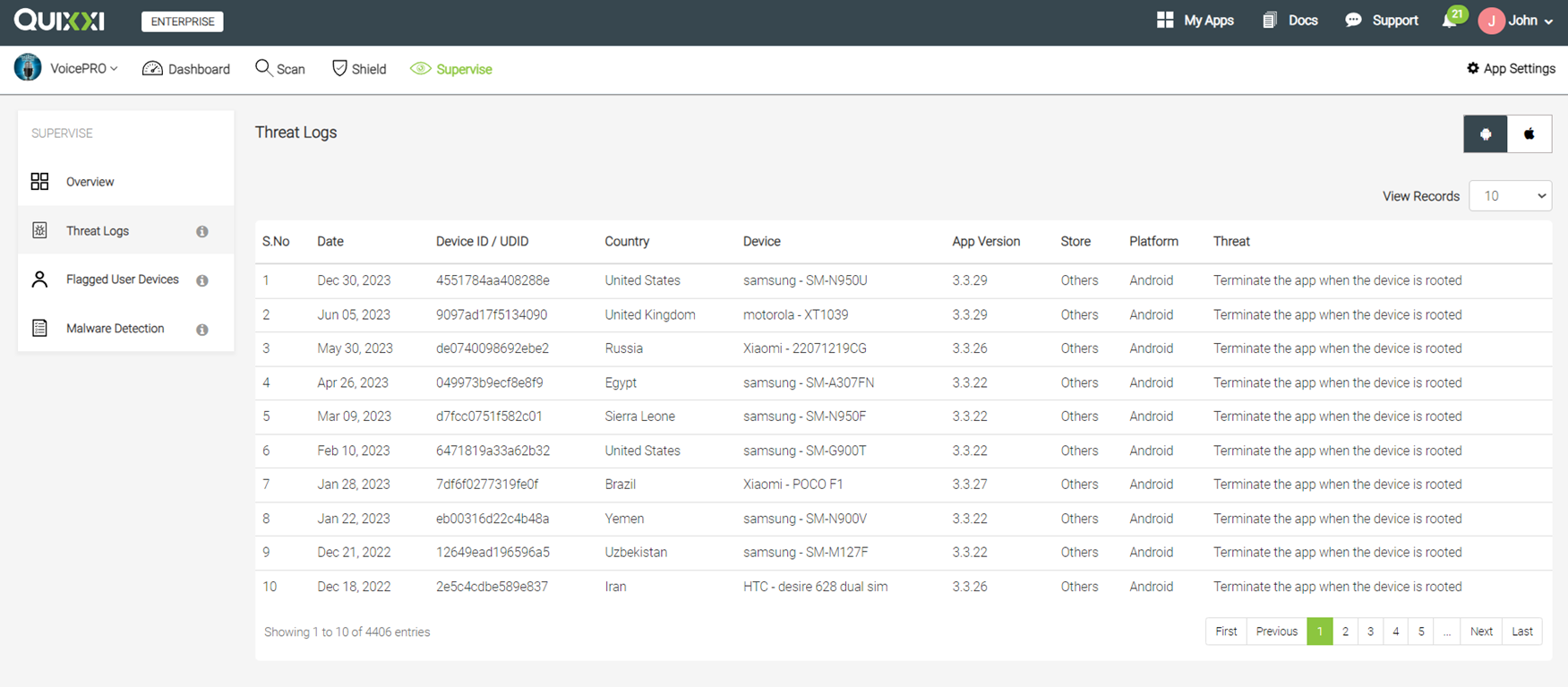
Provides real-time threat monitoring & reporting capabilities within the dashboard. Live threat logs, Flagged Device User and Malware detection
Prerequisite: The App Supervise Dashboard works only if the following Shield Options are enabled during App Shielding:


What you get in App Monitoring Dashboard?
Shielded application will send device and threat information to the Quixxi portal only when any one of the following threats is identified on the device.
- Application is running on a rooted device.
- Application is running on an emulator.
- Hooking tools like Frida are connected to the application.
- USB Debugging option is enabled in the device
- Wireless debugging options are enabled in the device.
- The custom keyboard is installed and configured as the default keyboard.
- The keylogger application is installed on the device.
- The application is modified after shielding.
- The debugger is attached to the device.
- The Lucky Patcher application is installed on the device.
- Memory dumping tools are connected to the application.
Quixxi only captures device information for broadcasting when a threat is detected. If no threat is found, Quixxi will not capture/send any device information.
For more details, please contact: support@quixxi.com
Was this article helpful?
That’s Great!
Thank you for your feedback
Sorry! We couldn't be helpful
Thank you for your feedback
Feedback sent
We appreciate your effort and will try to fix the article